
Google Business Profile (GBP)
Are you looking at your Google Business Profile (GBP) and wondering if it’s giving you the best results? Or maybe you just need some help getting it sorted once and for all?
Your Google Business Profile is your digital shopfront, it’s one way your customers can find you in Albury or Wodonga. But sometimes, managing those listings can feel like a complicated IT puzzle!
If you’re looking to bring in an agency, a service provider, or a dedicated team to help manage your online presence, there’s a simple way to give them access without sharing your personal login details.
I’m going to walk you through the easy steps of adding a Manager to your profile and explain exactly what that role means for you!
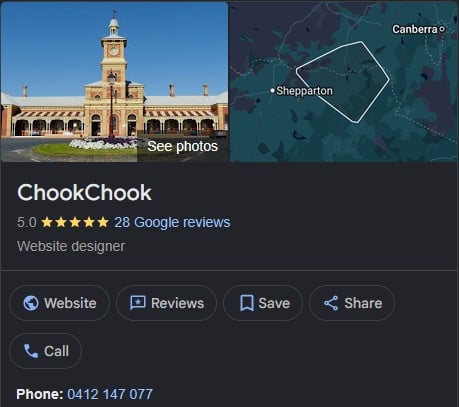
Adding someone new to manage your Google business profile is quick and secure.
- Go to Google: Open Google Search or Google Maps.
- Sign In: Make sure you are signed in with the Google account that manages your business profile.
- Search for Your Business: Type your exact business name, or search for “my business,” into the search bar.
- Find Your Dashboard: Locate and click the three vertical dots (menu icon) in the top-right corner of your profile dashboard.
- Access Settings: Select Business Profile settings from the drop-down menu.
- Go to People: Click on the People and access section.
- Invite a User: Click Add (the person icon with a plus sign).
- Enter Details: Enter the service provider’s email address.
- Choose Their Role: Select their appropriate role (Manager or Owner) and click Invite.
Choosing the Right Role: Manager vs. Owner
Choosing the correct access level is crucial for security and control. Understanding the difference between a Manager and an Owner will ensure your profile stays safe while still getting the help you need!
The Manager Role (Recommended)
This is the perfect role for most service providers, marketers, or team members who need to handle daily profile optimisation.
What Managers CAN Do:
- Edit core business details (names, categories, hours, addresses).
- Manage customer interaction (respond to reviews, answer Q&As, manage direct messages).
- Create content (publish Google Posts, upload photos, add products, list services).
- View performance analytics (check search queries, call histories, profile views).
What Managers CANNOT Do:
- Delete the entire Business Profile.
- Manage other users (add or remove Owners/Managers).
- Transfer ownership of the profile.
The Owner Role (For Full Control)
The Owner role is for the ultimate administrator who retains total control over your business listing and access rights.
What Owners CAN Do (Everything Managers can do, PLUS):
- Manage all users (add, change, or remove other Owners and Managers).
- Delete the entire Business Profile from Google Search and Maps.
- Transfer ownership to another user or agency.
- Link advanced tools (connect to Google Ads or third-party automation software).
- Reinstate profiles if they get suspended.
Why This Matters for Your SEO
For a third-party service provider looking to optimise your profile, the Manager role is highly recommended!
It allows them to perform all necessary SEO updates, add fresh content, and manage customer interactions, all while keeping you, the business owner, in full control of administrative functions. You remain the primary Owner, protecting you from accidental deletion or loss of control.
Simply put: Use a Manager to let experts do the heavy lifting on daily optimisation, and keep the Owner role for yourself!
Ready to Get Your Profile Perfect?
Is your Google Business Profile ready to attract more customers in Albury or Wodonga? Don’t let a poorly optimised listing hold you back!
If you need expert help with local SEO strategy, web design, or IT support to manage your digital presence, ChookChook Albury Wodonga is here to help!
Get in touch today and let’s turn your profile into a powerful lead generator!